DnD map generator for battle maps on a measured grid

This DnD map generator draws a top-down battle map for your next encounter and fits it to a grid you set in squares, such as 20 by 30. Press "Surprise me" for a random encounter area, or describe the room, pick one of eight scenes and a style, and the map is drawn to that grid’s shape. You then choose how many pixels each square gets, so the PNG you download lines up with the grid in Roll20, Foundry or Owlbear Rodeo with no rescaling.

Updated

The specs

Map
Top-down battle map, 2K, drawn by GPT Image 2
Grid
6 to 60 squares a side
Export
20 to 300 px per square, exact size
Files
PNG with grid, gridless PNG, map only
Scenes
Dungeon, tavern, forest, cave, castle, village, ship, temple
Cost
73 credits per map

Do

  • Set the grid before you draw, so the art is laid out for that shape
  • Name the features that matter in the fight: pillars, a pit, a ledge
  • Use the gridless PNG when your VTT draws its own grid
  • Match pixels per square to your VTT’s grid setting

Avoid

  • Asking for tokens or monsters on the map: place those in your VTT
  • Huge open areas on a small grid, where each square is a blur
  • Expecting walls and doors as VTT data: the export is an image
  • Real buildings or a named setting from a book or game

Invents a world with its own names, then draws its first map.

Style
Scene
Battle grid
squares

The map is drawn to this grid's shape. Pixels per square and the grid lines are set in the editor, and change the file, not the map.

Your sketch (optional)

A photo of a paper sketch or a quick drawing: coastlines, rivers and roads are followed. Sketches are deleted after 7 days.

Your maps appear here. They are drawn without lettering, so every name stays editable.

Location and creature cards

An illustration in the same style as your map, for handouts and session notes.

Card
Your cards appear here.

Maps made with this generator

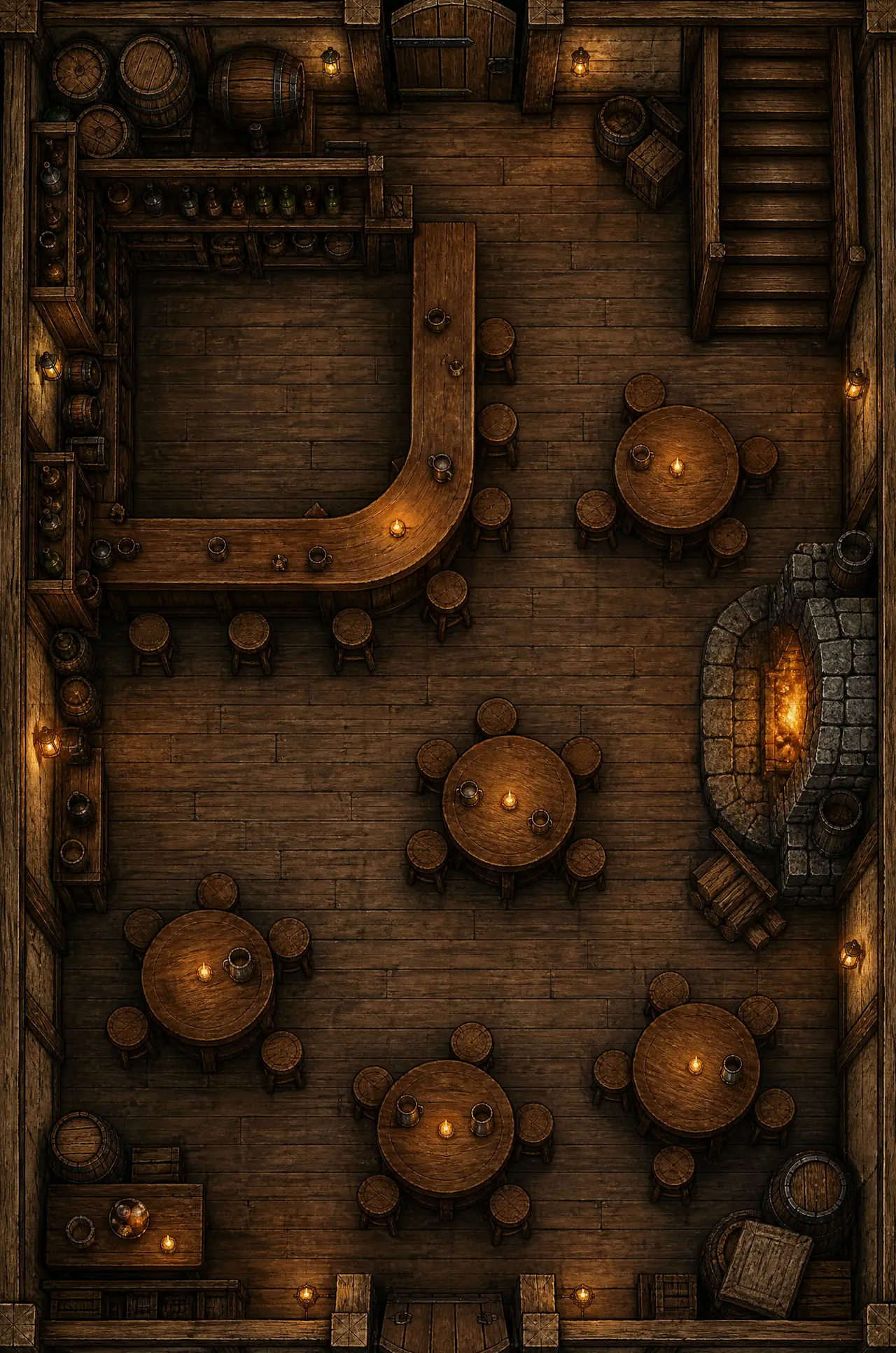
Top-down painted battle map of a tavern interior with round tables, a long bar counter, a stone hearth, a staircase and stacked barrels
Roadside tavern, painted top-down
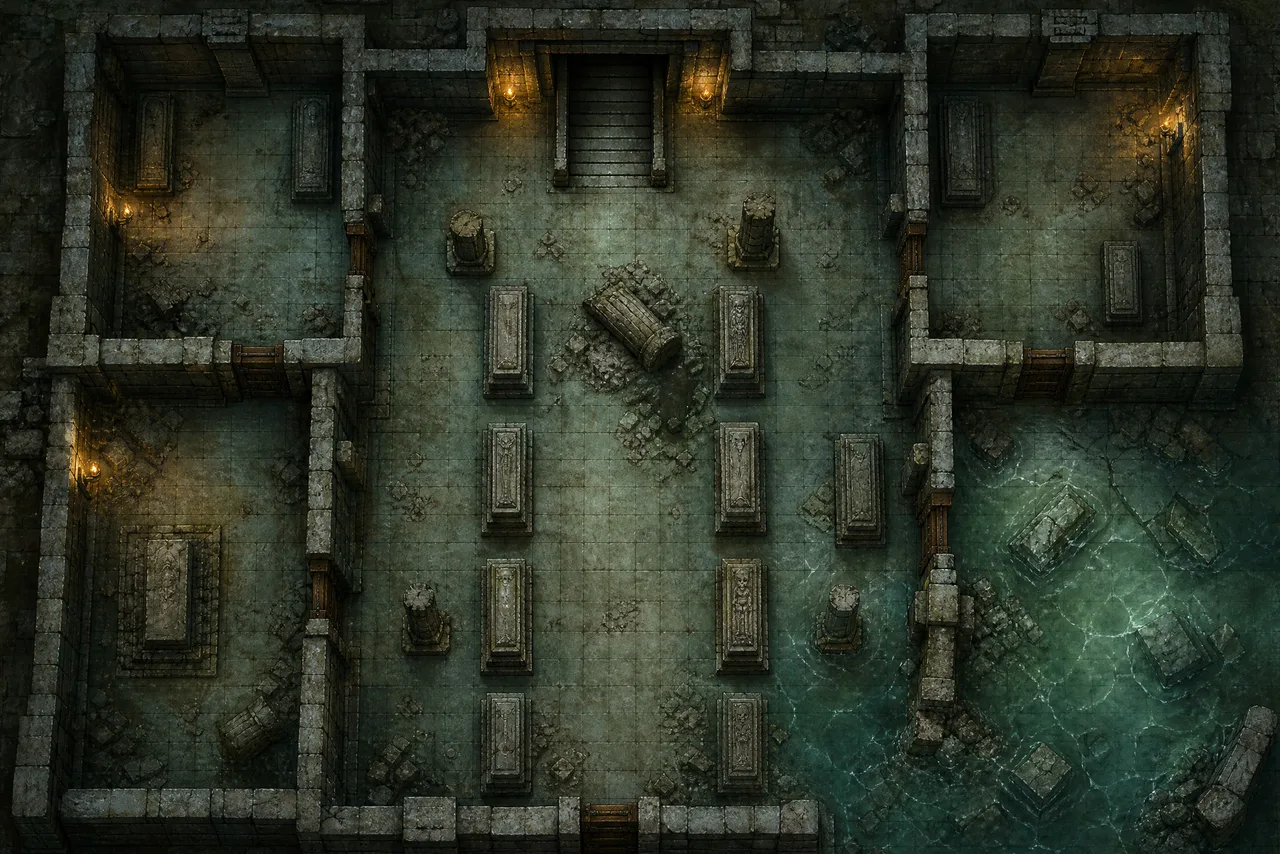
Top-down painted battle map of a flooded crypt with rows of stone sarcophagi, a stair in the north wall and shallow water in one corner
Flooded crypt, painted top-down
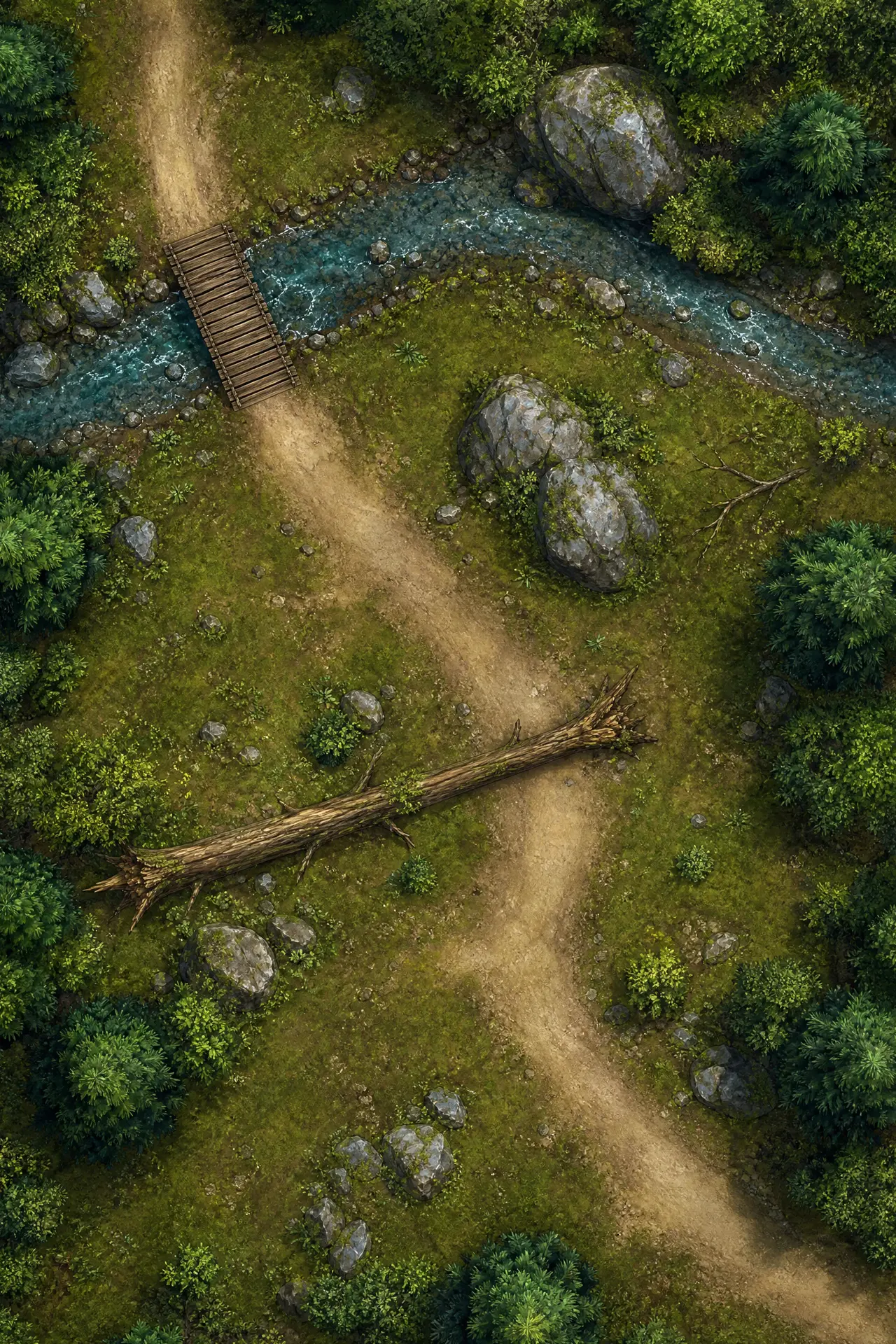
Top-down painted battle map of a dirt road bending through a forest, with a fallen log, boulders and a plank bridge over a stream
Forest road ambush, painted top-down
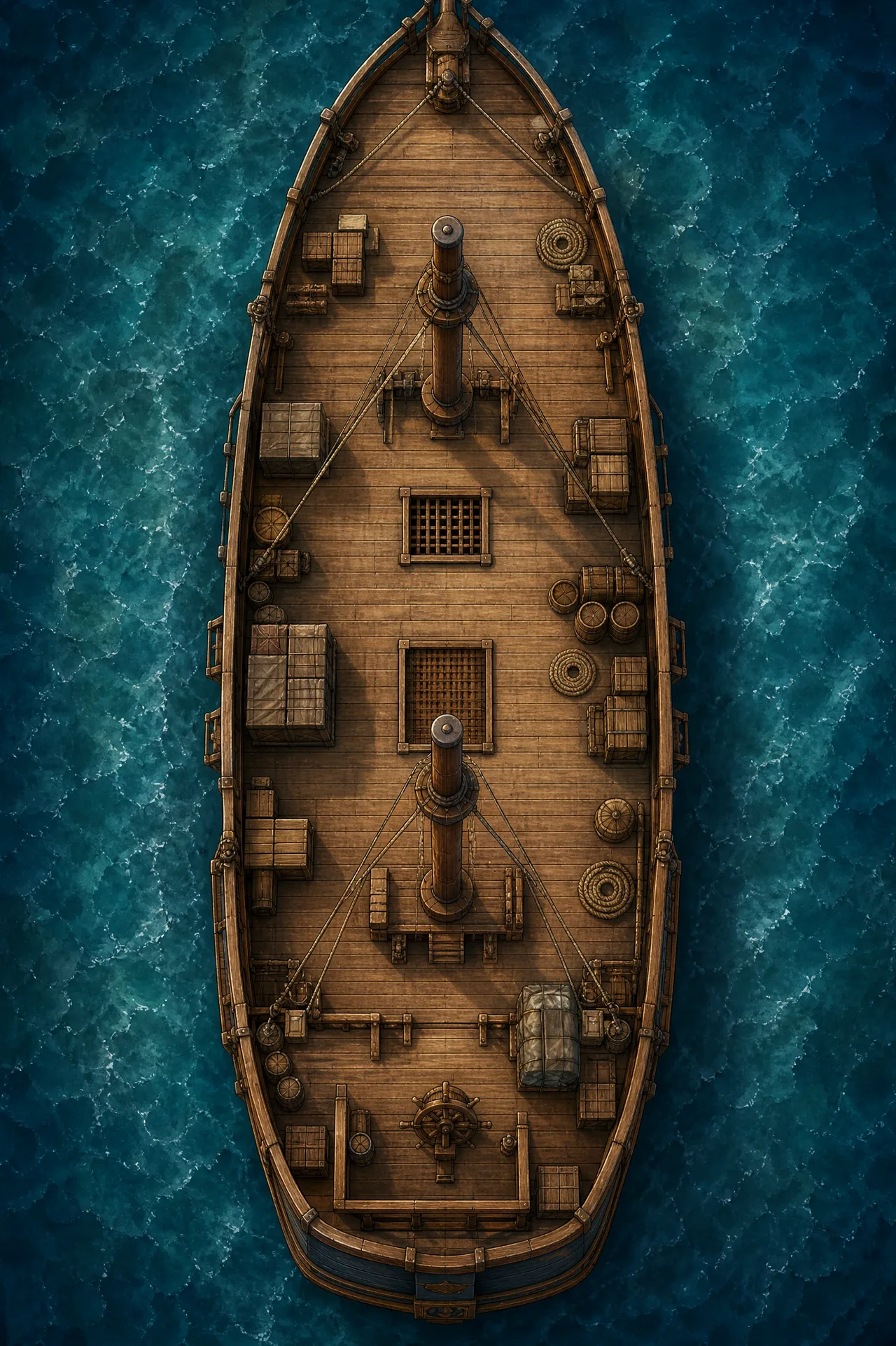
Top-down painted battle map of a two-masted merchant ship on dark water, with hatches, cargo crates and coiled ropes on deck
Merchant ship at anchor, painted top-down

Made by this site's own jobs for an invented world, shown without labels.

How it works

  1. 1

    Start from a surprise or a brief

    "Surprise me" invents an encounter area for you. Or type a few lines about the room, pick a scene such as a crypt or a ship deck, and choose one of five styles.

  2. 2

    Set the grid and draw

    Enter the squares across and down, from 6 to 60. The map is drawn at 2K to the closest frame and cropped to your grid’s exact shape, for 73 credits.

  3. 3

    Label it and export

    Add room numbers or names, then pick pixels per square and download a PNG at exactly squares × pixels. Turn the grid lines off for a gridless file.

Good for

  • Game masters prepping a one-shot or Saturday’s session
  • Encounters that need a quick tavern, crypt or forest clearing
  • Players running a virtual tabletop who want art at grid scale
  • Printing a battle mat at one inch per square

What does a measured grid change?

It means a square on the map is a square in your VTT, with no stretching. Most AI battle maps draw a grid as part of the picture, so its lines rarely match a real cell size and drift across the image. Here the grid is a layer: you choose 24 by 16 squares and 100 pixels a square, and the file is 2400 by 1600 pixels with the art cropped to fit. Change the pixels per square later for a different table and the map stays the same.

Gridless or gridded: which file should I upload?

Upload the gridless PNG to a VTT that draws its own grid, and set that grid to the same pixels per square you exported. Roll20, Foundry and Owlbear Rodeo all let you size the grid to the image, and their own lines stay crisp when you zoom. Use the gridded PNG for printing, for screens without a VTT, or when you want the grid colour and opacity you picked in the editor.

Which scenes and styles suit an encounter?

Eight scenes cover most fights: dungeon, tavern, forest clearing, cave, castle hall, village square, ship deck and temple. Your brief adds the details, such as a collapsed stair or a flooded floor. The painted style reads best at table distance, inked parchment suits classic dungeon crawls, and the modern style keeps floors flat and clean for tokens. Every map is drawn from straight above with no people in it, so tokens never sit on a printed figure.

What it costs

Every map is 2K and arrives without lettering; a 4-map session prep is 292 credits. Labels, the grid and downloads are free.

JobModelCredits
Map, 2KGPT Image 273 credits
Poster render, 4KGPT Image 2108 credits
Location or creature cardSeedream 5.537 credits
Gazetteer of namesGemini 3 Flash11 credits
Labels, grid, compass, downloads—Free

New accounts get 73 free credits once, after email verification: enough for one map.

See plans and packs

FAQ

How do I make a DnD battle map with a grid?

Pick the battle map type, set the squares across and down, and draw. The art is cropped to your grid, and you choose the pixels per square when you download the PNG.

What size should a battle map be for Roll20 or Foundry?

Most tables use 70 to 140 pixels per square. Export at the same value your VTT grid uses, and the map lines up with no scaling.

Can I get the map without grid lines?

Yes. Download the gridless PNG, or switch the grid lines off in the editor; the file keeps the same exact size either way.

Does "Surprise me" cost extra?

It writes a random brief with names and then draws the map, so it costs 84 credits in total: the names and one map.

Can I use the maps in a paid adventure?

Maps made on a plan with the commercial licence can be used in products you sell. The licence terms are on the pricing page.

Is the first map free?

New accounts get 73 free credits after confirming their email, enough for one 2K map. There is no daily allowance.